Trionyx / Ahmedabad, Gujarat, India

Custom field service software development.

Connect your office and field teams through software built around the job lifecycle. Trionyx develops Flutter mobile apps, web dashboards and backend services for scheduling, site reports and commercial workflows, with Workpilot as a relevant project showcase.

A focused brief. A scoped proposal. Clear next steps.

01 / A useful starting point

Built around the work
you need to get done.

For service companies and operations teams with a defined workflow that standard tools do not adequately support. Begin with your job types, user roles and current systems. If an existing product meets the requirements, that may be the more practical starting point.

01

Technician & field worker apps

Scope the mobile tasks needed on site: viewing job details, completing forms, attaching photos and collecting signatures where relevant. Flutter can support the shared Android and iOS experience, while device permissions, connection quality and platform behaviour need explicit testing.

02

Scheduling & job management

Connect customers, sites, work orders and assignments in a web workspace. Define who can schedule, reassign, start, complete or reopen a job. Crew, time and equipment constraints should be documented before selecting the scheduling approach.

03

Reports, documents & review

Map the information captured on site to the records needed by the office. Job sheets, inspection reports, attachments and certificates have different fields and approval requirements. Agree templates, file access and document history as part of the scope.

04

Quotations, invoices & integrations

Plan how an approved quote becomes a job and how completed work reaches billing. Review existing accounting, CRM and storage APIs before promising a connection. Identify the system responsible for each record and how failed or duplicate updates are handled.

02 / From discussion to delivery

A clear process.
An agreed handover.

What we scope together

  • A map of one job journey, with roles and handoff points.
  • An agreed mobile and web scope with acceptance criteria.
  • The backend, data models and integrations in the proposal.
  • Testing for agreed devices, permissions and connection scenarios.
  • Release guidance, ownership handover and an agreed support scope.
  1. 01

    Follow a representative job

    Describe how work arrives, who assigns it, what happens on site and how it is reviewed and billed. Bring anonymized examples of the forms and records involved.

  2. 02

    Choose a pilot workflow

    Select a job type and a small set of roles for the first release. Separate essential operational steps from future scheduling intelligence, inventory or advanced reporting.

  3. 03

    Build & test the connected journey

    Review the mobile, dashboard and API experience together. Test permissions, attachments, missing information and failed updates. If offline capture is required, scope local storage, sync, conflicts and recovery explicitly.

  4. 04

    Roll out with the team

    Test the agreed workflow with the intended users, review feedback and prepare a handover. Agree monitoring, training materials and maintenance before extending the system to more teams or job types.

03 / Explore the work

Relevant project examples.

Start with the features and workflows in our portfolio. We can discuss the delivery context and how a similar approach might fit your brief.

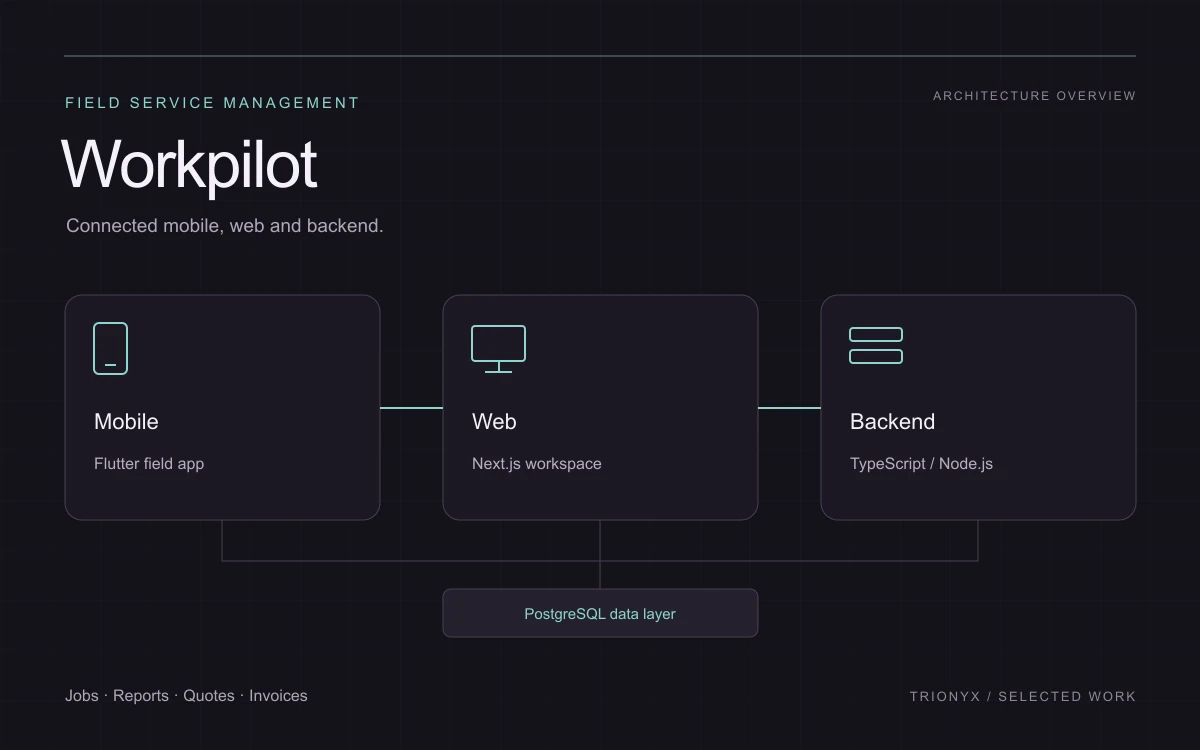
Workpilot application architecture illustration

Portfolio / Project overview

Workpilot

A Flutter field service app connected to a Next.js workspace and backend, with jobs, reports, scheduling, quotations and invoice workflows.

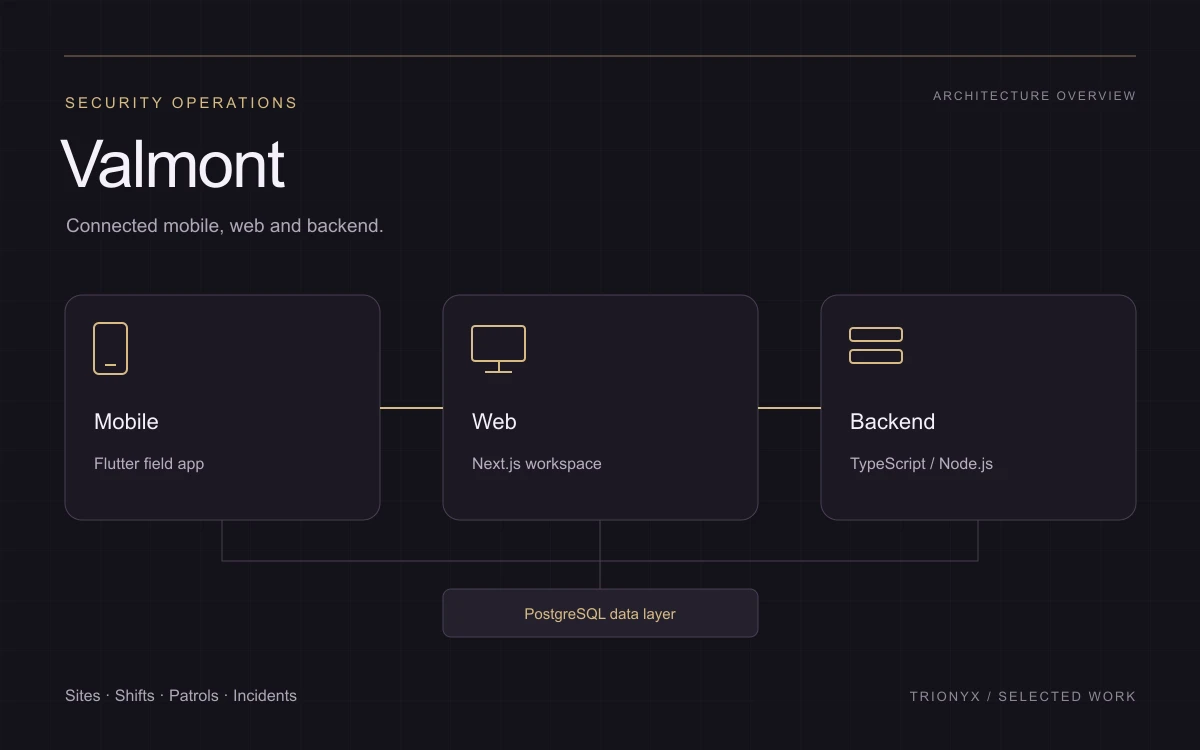
Valmont application architecture illustration

Portfolio / Project overview

Valmont

An adjacent field-operations example: a Flutter officer app connected to security staffing, site, shift, patrol and reporting workflows.

04 / Know what you are buying

Scope first.
Then a useful estimate.

Custom vs ready-made field service software

Use a workflow-led checklist to decide whether to buy, integrate or build.

Buy, integrate or commission custom software?

Compare your essential workflow with the tools already available. Custom work becomes relevant when job rules, document requirements or integrations justify owning a tailored system. Include training, migration and support in the comparison, not just the initial development estimate.

What changes cost and delivery effort?

The number of roles and job types, offline requirements, scheduling complexity, document generation, data migration and external integrations all affect the scope. App store accounts, hosting and third-party charges should be identified separately from implementation.

05 / Before we talk

Good questions.
Straight answers.

Can you build a field service app and office dashboard together?

Yes. These can be scoped as connected interfaces over shared APIs and records. Workpilot is a relevant example. Agree what technicians, office users and administrators need to do before selecting the first feature set.

Will the app work without a mobile signal?

Offline behaviour must be included explicitly in the brief. Specify which records can be read or changed offline, how attachments are stored, and how sync failures or conflicting changes are resolved. We assess these requirements before confirming the implementation.

Can the system connect to our accounting or CRM software?

We review the available API, account permissions and documentation first. The scope should state which records move between systems, which system owns each record and what happens if an update fails.

How much does custom field service software cost?

Cost follows the job workflows, user roles, mobile requirements, document templates, migration and integrations. Share a budget range and one representative job journey so the first release can be discussed realistically.

Should we use an existing field service product instead?

If a standard product fits the essential process, its total cost and time to adoption may be more attractive. Compare the gaps, integration needs and ongoing ownership before commissioning a custom build.

Your next step

Which field workflow should your first release connect?

Send a short brief. We will review the goal, clarify the scope and discuss the next step with you. No credentials or confidential customer data are needed for an initial conversation.

Also exploring a Flutter mobile app? See our Flutter development service.