Security operations platform / Project showcase

Valmont

Field operations, connected to the control room.

Valmont brings the officer experience and the management workspace into one connected software system. The project combines a Flutter application for field work with a web dashboard and shared operational backend.

  • Flutter
  • Next.js
  • TypeScript
  • Node.js
  • PostgreSQL
Discuss a similar project ↗
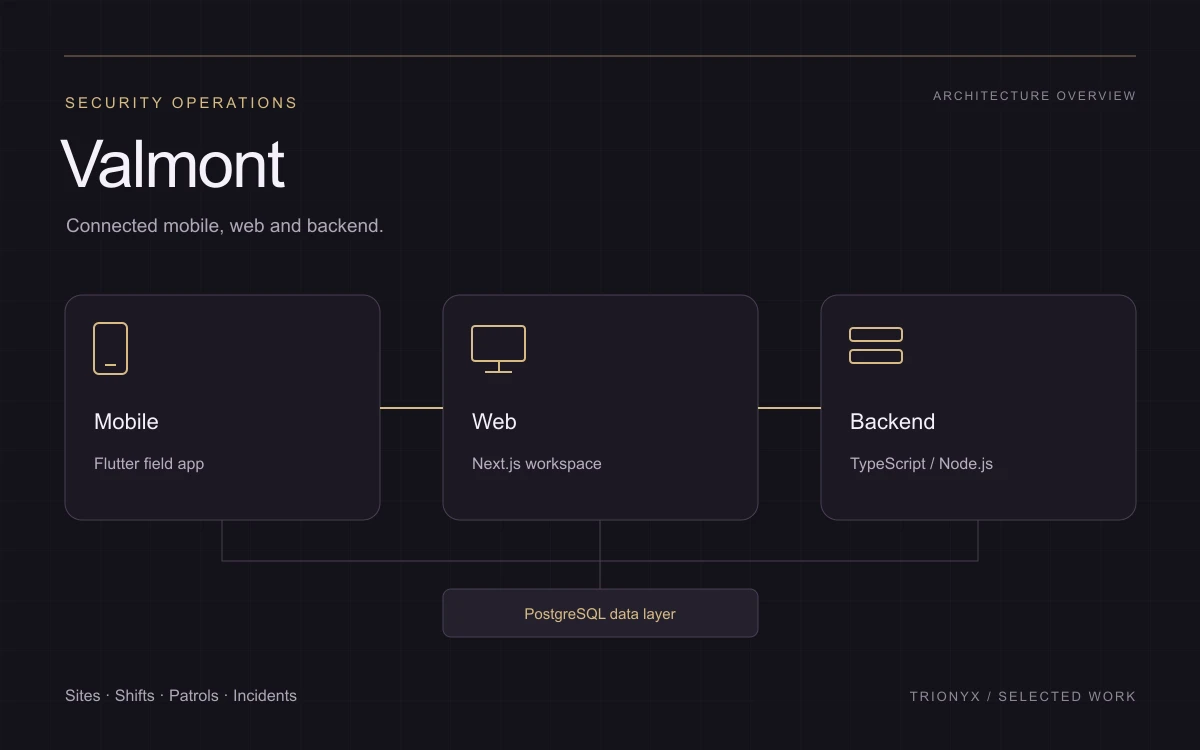
Valmont: Flutter mobile experience connected to a web workspace and backend
Application architecture illustration. Project overview; no customer records or operating metrics shown.

01 / The product context

A workflow that reaches beyond one screen.

Security operations span people, sites, shifts and incidents. An officer needs practical tools while on duty; the management team needs a broader view of the same operation. This project demonstrates how mobile and web experiences can serve different responsibilities while working with shared records and workflows.

02 / Connected capabilities

What the product brings together.

Officer and management experiences

The Flutter app includes officer workflows and administration modules. The web application provides a separate dashboard experience for teams managing the operation. Access and navigation are organized around user roles rather than showing every tool to everyone.

Sites, shifts and staffing

Site records, officers, shift planning and attendance form the operational foundation. These are connected workflows: assigning a person to a shift, recording activity and reviewing the job require a consistent relationship between people, time and place.

Patrols and incident reporting

Patrol and checkpoint workflows sit alongside incident capture and review. Mobile capabilities include location, scanning and attachments. The showcase highlights the connection between field input and the records available to management, rather than claiming a particular response-time improvement.

Communication and operational records

Messaging, reports, site documents and equipment workflows extend the platform beyond a scheduling screen. The application has to help teams move between the current task and the supporting information without losing the context of the site or job.

03 / Engineering considerations

The connections
matter as much
as the screens.

A shared backend, different interfaces

Flutter handles the mobile experience, while Next.js provides the web workspace. A Node.js/Express backend and PostgreSQL data layer connect the applications. This separates interface needs while keeping business rules and records in a shared system.

Mobile work needs device capabilities

Location, camera and scanning workflows require device permissions and practical failure states. They are part of the product scope and testing plan, not details to postpone until after the screens have been designed.

Roles shape the product

Officers, team leaders and administrators need different levels of context and access. The application structure reflects those differences across mobile and web. A comparable project starts by mapping responsibilities and who can perform each action.

Your project / A practical starting point

Planning a connected business product?

A relevant reference for businesses planning a Flutter field app connected to an operations dashboard. Bring your roles, current process and essential field tasks to the first discussion; the right scope depends on your own operating environment.